Connections is where raw data enters Potenza. A connection holds the data exactly as it arrived; datasets are generated from connections in the Data Library. Three connector types are available today.
CSV upload
Click Add Connection → CSV Upload, pick your file, and name the connection. Use Download template in the same dialog to get a starter file with the expected column headers for a schema. To bring in a newer file later, use the connection’s Refresh and upload the replacement.
Google Sheets
Paste a link to a sheet that is shared as “Anyone with the link”. Potenza pulls the rows on create, and Refresh re-pulls the live sheet — so a sheet your team keeps updating stays current without re-uploading files.
QuickBooks
A QuickBooks connection pulls your accounting data month by month, using QuickBooks’s own reports:
- Profit & Loss activity at line level, with class and location names included.
- Balance-sheet activity from the General Ledger — cash, receivables, payables, credit cards, loans, and equity, with each account’s monthly beginning balance.
- Your Chart of Accounts, including account types and hierarchy.
On every sync, Potenza also pulls QuickBooks’s own P&L and Balance Sheet totals and verifies its numbers against them, month by month. The result shows as the “Ties to QuickBooks” row in Statements — a green check means Potenza matches QuickBooks to the penny for that month.
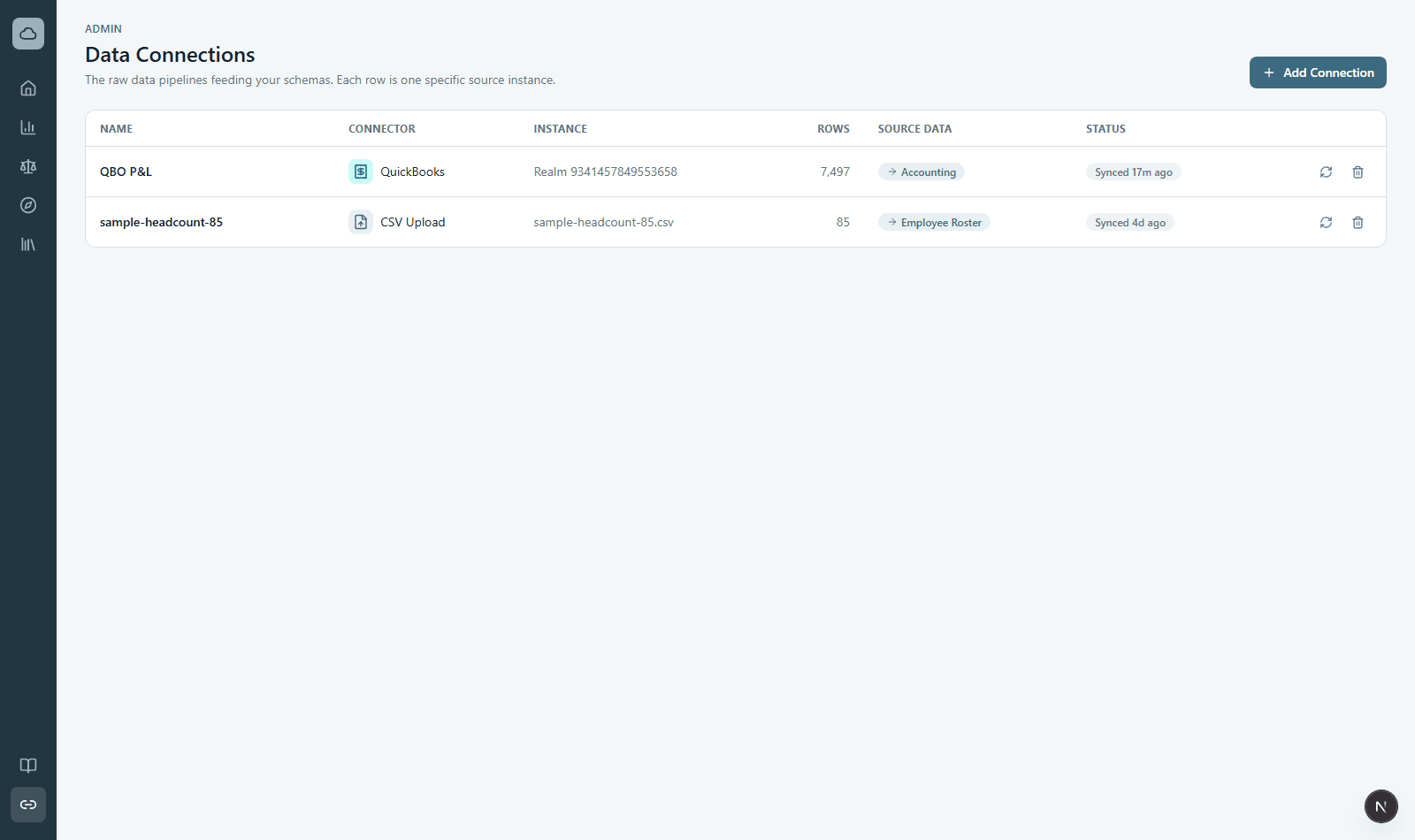
The connections grid
- Source Reports lists the raw report(s) a connection brings in — for QuickBooks that’s P&L Detail, General Ledger, and Balance Sheet; for a file connection it’s the uploaded file.
- Data Library shows which dataset a connection feeds (e.g. Accounting, Employee Roster) — click it to jump there. A “Missing link” badge means the connection isn’t feeding a dataset yet.
- Last Synced is when data last came in; Last attempt shows a green check if the most recent sync succeeded or a red mark if it errored.
- Refresh re-pulls a live source (Sheets, QuickBooks) and re-runs the pipeline for any dataset it feeds.
- Hover a connection’s name to rename it.