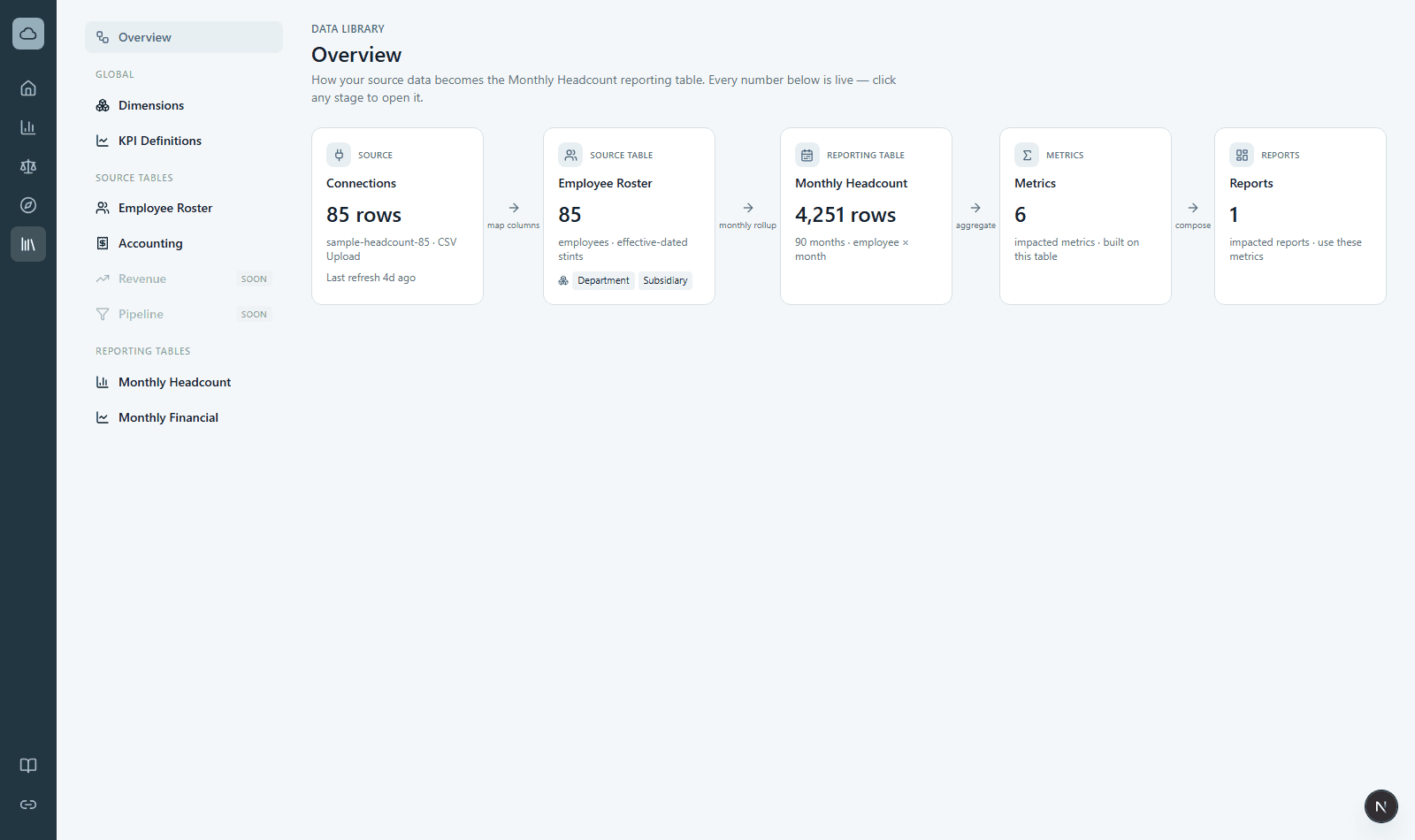
Potenza Finance turns the exports and systems you already have — HR rosters, accounting data, spreadsheets — into standardized monthly data you can report on. Everything follows the same path, no matter the source:
- Connect a source in Connections — upload a CSV, paste a Google Sheets link, or connect QuickBooks.
- Generate a dataset from that connection in the Data Library. Potenza transforms the raw rows into a clean source table (like Employee Roster or Accounting) and builds the monthly reporting table from it automatically.
- Map dimensions — link columns like department or class to Potenza dimensions and consolidate messy values (“GTM”, “Sales & Mktg”) into clean members. Mapping is applied on read, so you can change it any time and history updates retroactively.
- Analyze — open Statements for financial statements verified against your accounting system, or build saved pages of metric charts in Reports.
The two rules behind everything
- Numbers are deterministic. Every figure traces back through the pipeline to source rows — you can drill from any statement or report number to the underlying records. Where the source system publishes its own totals (QuickBooks), Potenza checks itself against them and shows you the result.
- Your raw data is never rewritten. Standardized values are applied as a mapping layer on top of the original values, so remapping is always safe and retroactive.
The Data Library overview shows this whole flow live for your own data — each stage with current counts and a last-refresh time.